Let’s write our own micro kernel, which prints a greeting message to ourselves.
Disclaimer
I’m not a kernel developer. Everything written here must be considered as my baby steps towards finding and sharing a knowledge of an exciting area - OS development.
The plan
We are going to write a micro kernel in ASM, which performs a call to C code, which in turn prints a message on screen. We use qemu to run the ISO image of a compiled kernel. With a help of multiboot grub loader, we will boot a kernel image.
Toolset
To make this happen, we need the following toolset:
-
nasm
-
gcc
-
ld
-
grub2-mkrescue
-
qemu
Boot part
Let’s use multiboot grub loader [1]. However, there are plenty other bootloaders out there [2]. According to multiboot standard implementation, OS image must eventually contain a specific multiboot header structure [3].
| Offset | Type | Field Name | Note |
|---|---|---|---|
0 |
u32 |
magic |
required |
4 |
u32 |
architecture |
required |
8 |
u32 |
header_length |
required |
12 |
u32 |
checksum |
required |
16-XX |
tags |
required |
All five fields are required, so let’s provide them in a file called header.asm:
section .multiboot_header
header_start:
	; magic number
	dd 0xe85250d6 ; multiboot2
	; architecture
	dd 0 ; protected mode i386
	; header_length
	dd header_end - header_start
	; checksum
	dd -(0xe85250d6 + (header_end - header_start))

	; end tag
	dw 0
	dw 0
	dd 8
header_end:
Kernel part
A minimal kernel could be named like kernel.asm with the following contents:
global _start

section .text
_start:
    hlt
All it does, is just simply halting the cpu and performing no work.
Linker part
We also need a linker to glue all artifacts together in a single executable unit. This is an example of a linker script, containing both boot and text sections used in boot and kernel parts:
ENTRY(_start)

SECTIONS {
    . = 2M; /* code starting address */
    .boot : {
        KEEP(*(.multiboot_header))
    }
    .text : {
        *(.text)
    }
}
You Build It - You Run It
Now it’s time to build artifacts and run them. To automate this tedious process, let’s script it via Makefile:
build:
    nasm -f elf64 kernel.asm -o kernel.o && \
    nasm -f elf64 header.asm -o header.o && \
    ld -T linker.ld -o iso/boot/kernel.bin header.o kernel.o && \
    grub2-mkrescue /usr/share/grub2/i386-pc -o iso/boot/kernel.iso iso
clean:
    rm -f *.o ./iso/boot/*.bin ./iso/boot/*.iso
What we do here - we create executable artifacts, link them together into a single kernel.bin executable and pack this kernel into a bootable image kernel.iso.
There is a tool grub2-mkrescue to bake all artifacts into an ISO file.
Let’s also create a couple of directories so that our file structure looks like the following:
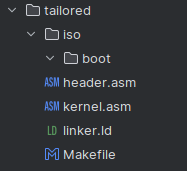
Finally, run make script in the terminal:
> make clean buildAnd eventually you should get an iso image:
Writing to 'stdio:iso/boot/kernel.iso' completed successfully.Let’s run it via qemu emulator:
> qemu-system-x86_64 -cdrom iso/boot/kernel.isoGrub boot loader starts…
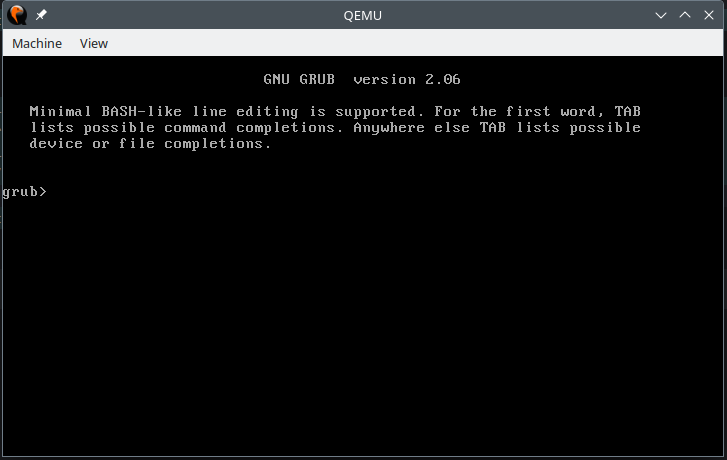
…and nothing else matters happens. That’s expected. We have to manually boot our kernel:
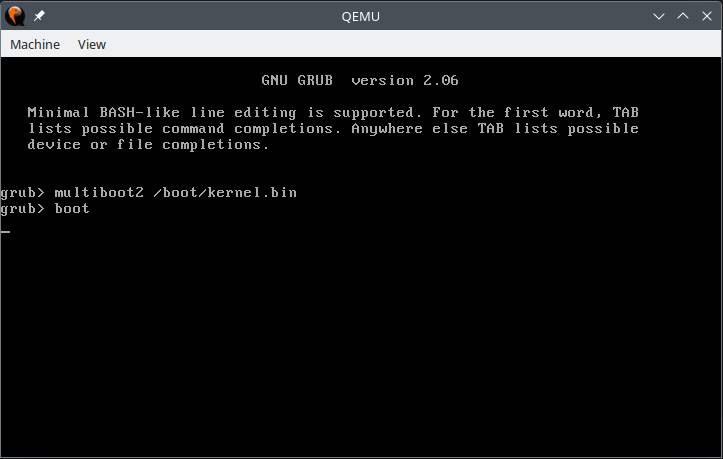
After we hit boot command, again - black screen. Surely, because we are just halting the CPU in our kernel. Now we are going to improve a couple of things.
Add a GRUB config
In order not to manually boot the kernel each time, we can script these actions in a grub.cfg
set timeout=0
set default=0

menuentry "my bare minimum micro kernel" {
	multiboot2 /boot/kernel.bin
	boot
}…and store it in the following path:
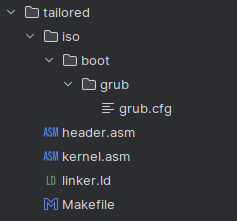
After building and running it again we see that the kernel is being loaded automagically:
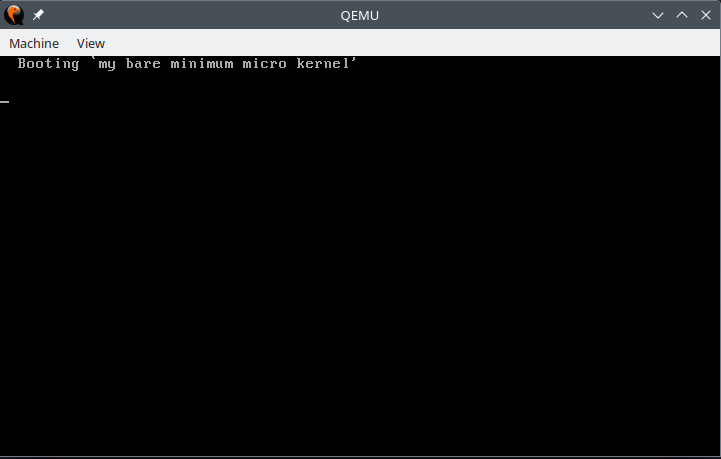
However, again it does no useful work. What a waste of electricity! Time to fix it.
Transfer of control to C code
What we do next is we try to use high level programming language to print a greeting message. Not something sophisticated. Something similar to:
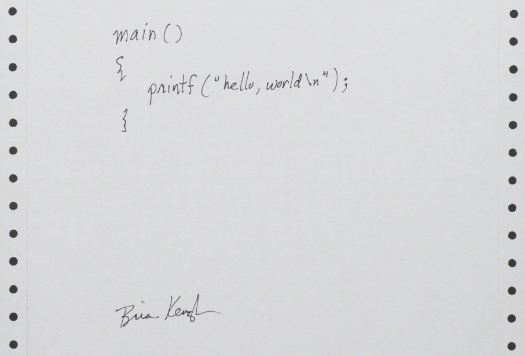
Oh wait, we are not in Kansas anymore in a user space yet. It could have worked as if we were to run the code above from a user space. However we are in a protected mode as stated in header.asm. We don’t have printf available for us. But we have VGA text mode buffer [5] - and we print directly in there.
A function to print some chars could look like this:
#include <stdio.h>

#define videoAddress 0xB8000

void print_chars(char* str);

void main()
{
    print_chars("Hello world!");
}

void print_chars(char* str)
{
    unsigned char *video = (unsigned char *)videoAddress;
    int j = 0;
    for (size_t i = 1; 1; i+=2) {
        char character = str[j++];
        if (character == '\0') {
            return;
        }
        video[i] = character;
    }
}
There are also changes to be done to perform a call to main function from kernel.asm:
global _start

extern main

section .text
_start:
    call    main
    hlt
And there are changes in Makefile to compile C code:
build:
    nasm -f elf64 kernel.asm -o kernel.o && \
    nasm -f elf64 header.asm -o header.o && \
    gcc -c hello.c -ffreestanding -o hello.o && \
    ld -T linker.ld -o iso/boot/kernel.bin header.o kernel.o hello.o && \
    grub2-mkrescue /usr/share/grub2/i386-pc -o iso/boot/kernel.iso iso
clean:
    rm -f *.o ./iso/boot/*.bin ./iso/boot/*.iso
And this results in:
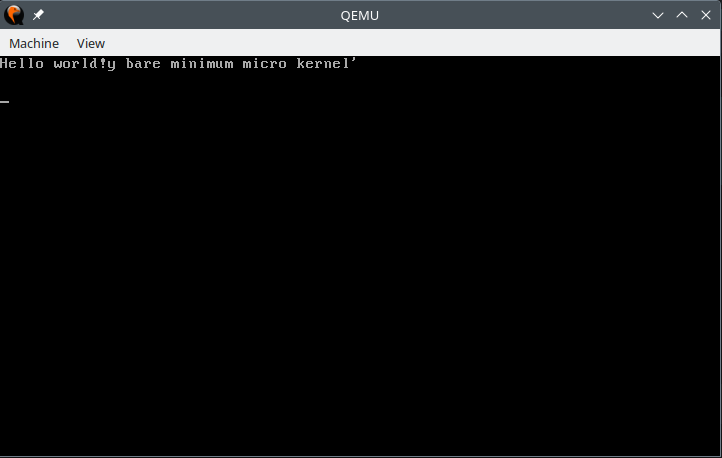
Wonderful, but now it prints over previously written text. To clean up this mess a bit, we introduce a new function, which writes empty chars all over the available screen:
#include <stdio.h>

#define videoAddress 0xB8000

const int LINE_LENGTH = 80;
const int LINE_ROWS = 25;
const int COLOR_BLACK = 0x00;
const int COLOR_WHITE = 0x0F;

void clear_screen();
void print_chars(char* str);

void main()
{
    clear_screen();
    print_chars("Hello world!");
}

void print_chars(char* str)
{
    unsigned char *video = (unsigned char *)videoAddress;
    int j = 0;
    for (size_t i = 1; 1; i+=2) {
        char character = str[j++];
        if (character == '\0') {
            return;
        }
        video[i] = character;
    }
}

void clear_screen()
{
    volatile unsigned char *video = (unsigned char *)videoAddress;
    int i = 0;
    while(i < LINE_ROWS * LINE_LENGTH * 2) {
        video[i] = ' ';
        video[i+1] = COLOR_BLACK;
        i += 2;
    }
}
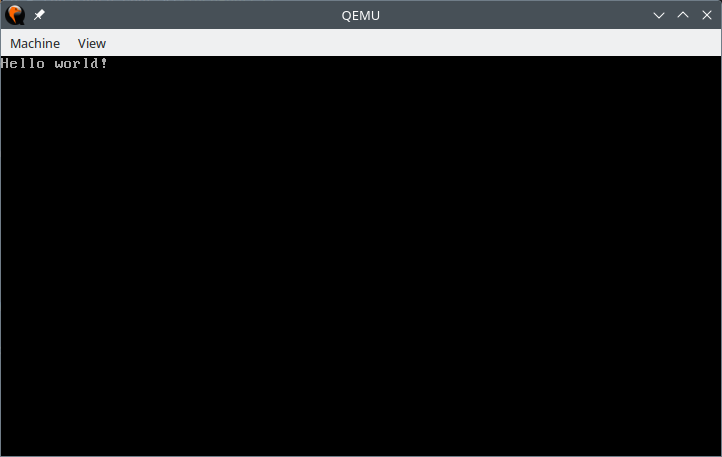
Which results in:
Conclusion
I tried to keep the code written there as concise as possible - to understand what’s the bare minimum we need to have for a viable OS kernel. As stated in the disclaimer - I’m not a kernel developer. If you see what can be improved there or written in a more accurate way, please don’t hesitate to state this in the comments or just DM me.
Code samples are available over on GitHub
References
Copyright © 2024 Petr Shatunov. All rights reserved.